Skip to content
< back to blog home

Introducing Supplier Records

Introducing Supplier Records
2:37

We've made a change today to how Suppliers work in Easy Business App.


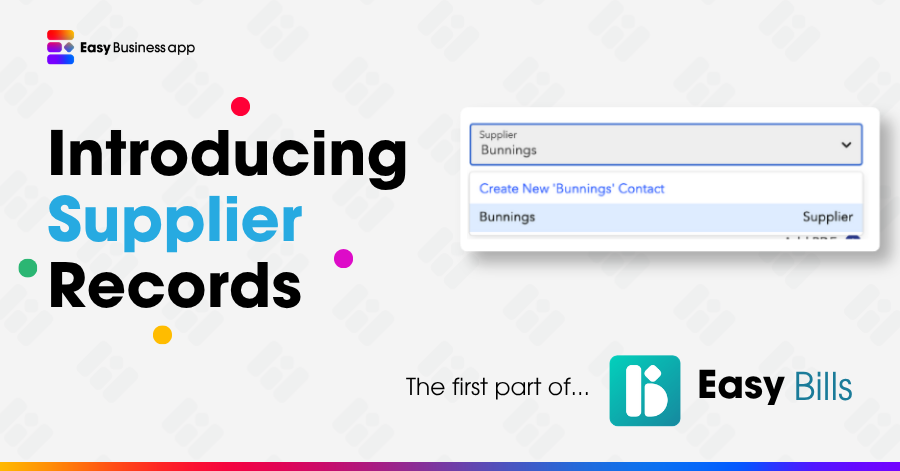
When creating expenses or categorising bank transactions, the Supplier field used to be a free text field. It has now been improved and it's now a searchable drop-down.


You can still create Suppliers at the same time as creating expenses/categorising transactions, so it's absolutely no slower than previously, too.


Less time typing, more consistent data!


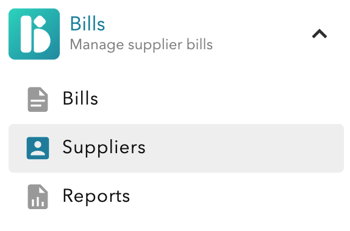
You'll see the Suppliers records in our new Bills module - the rest of that module is coming soon. Because proper Supplier records were one of our most requested features ever, we've done that first, with the rest of Bills to follow in the new financial year.

This also has a very small impact to our Easy Invoicing users (some changes to screen layouts). Read on to see how you're impacted:


If you use Easy Cashflow...


You'll see the following changes:

  • Supplier is now a searchable drop-down when categorising transactions, creating ins/outs or creating bank rules.
  • We've pre-created supplier records for you to save you a tonne of time - and we've applied some auto-magic smarts here to combine records with small differences [e.g. "Bunnings" and "BUNNINGS" have both come "Bunnings"]
  • We have not removed context that may be useful to you, e.g. "Bunnings - Croydon" and "Bunnings - Springvale" may have been separate for a very good reason, so they've been pre-created that way as separate records.
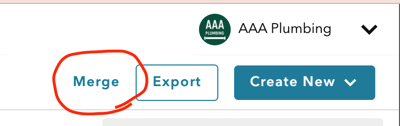
  • You may choose to merge records if you wish, it's a very quick process (click the Merge button on the Suppliers screen)

We'll be adding some more useful features soon, including an Expenses by Supplier report. That's not ready quite yet, but we'll let you know when it's released.


There are more details (and some FAQs) in our help guide, including instructions on how to merge contacts.

👉 Read the Help Guide

If you use Easy Invoicing...


You'll see some very small changes:

  • You'll notice an additional tab on the "Customers" screen where you'll see "Suppliers". A contact can now be a Customer or a Supplier, or both. If you have any Customers who are also suppliers, you can just have one record for them.
  • When creating a Customer, the "Send as Link/PDF" and NDIS details are now on a second tab "Customer".
  • Customers can now be merged, so if you've ever ended up with duplicates, you can resolve that. Simply click the "Merge" button and follow the instructions. This will combine all the previous quotes and invoices from two customers into one Customer record (just note that this is not reversible).